My friend Devon once played Baldur's Gate 3 for eleven hours straight on a Saturday, fueled by cold pizza and the stubborn belief that he could clear the Underdark in a single sitting. He did clear it, but he also woke up Sunday with a neck so stiff he couldn't check his blind spot while driving. The game was a triumph. His trapezius was not.
I tell that story because most setup guides obsess over frame rates and RGB while ignoring the actual machine doing the playing, which is you. A 1440p monitor running a crisp 144 frames per second does nothing for the person hunched eight inches from it, shoulders climbing toward their ears, blinking maybe twice a minute.
So this is a comfort build instead. Not a flex, not a benchmark chart, just the unglamorous adjustments that let you play long without paying for it the next morning. We will work through it step by step, and you can manage almost all of it with the chair and desk you already own.
Fix the chair before you spend a dime
Before you shop for anything, sit down and look at your knees, which should land roughly level with your hips while your feet stay flat on the floor. If your feet dangle, you are loading your lower back every minute you play.
Raise the chair until your forearms rest level with the desk, then sort out the feet underneath you. A stack of books, an old shoebox, or a proper footrest will all work. The goal is a relaxed right angle at the knees and another at the elbows.
Sit back fully, and if your lower back has a noticeable gap behind it, roll up a small towel and tuck it into that curve. A two dollar towel does most of what a hundred dollar lumbar cushion claims to do.
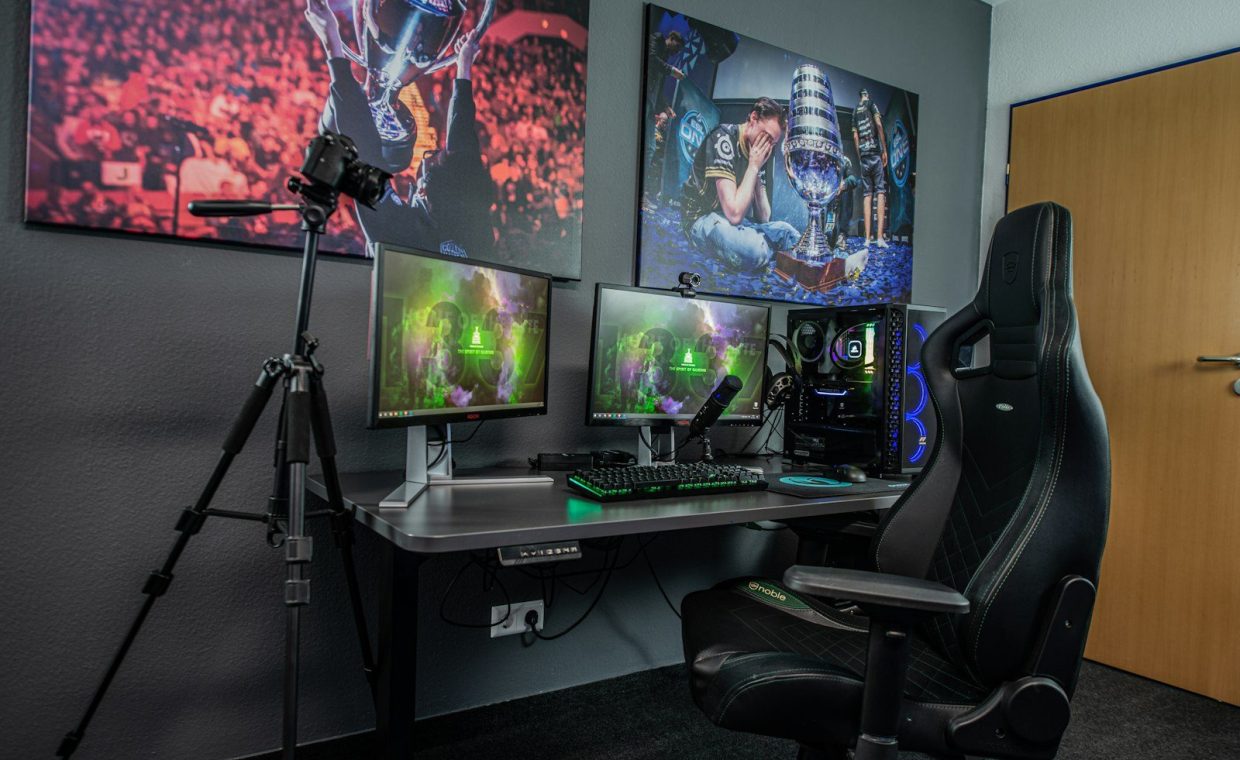
Gaming chairs with the racing-bucket shape look great in photos, yet many of them quietly push your shoulders forward. An ordinary office chair with adjustable arms often beats them across a long session, because comfort comes down to geometry rather than branding.
Get the screen to eye level
Here is the single biggest fix that most people skip. The top of your monitor should sit at or just below eye level, roughly an arm's length away, and if you keep tilting your head down to read your inventory, the screen is mounted too low.
Laptop players have it worst, because the screen and keyboard are fused together at exactly the wrong height. Prop the laptop on a stand or a sturdy stack of hardcovers, then plug in a separate keyboard, and your neck will notice the difference within a day.
For a Steam Deck or any handheld, the same logic carries over to the couch. Bring the device up to your eyeline with a pillow on your lap instead of craning down toward it for hours on end.
Your head weighs around eleven pounds, and tilting it forward thirty degrees multiplies the strain traveling through your neck. Every degree you avoid is load you are not carrying through a grueling boss rush.
Light the room, not just the screen
Gaming in a dark room with one blazing monitor is the fastest route to tired, dry eyes. The harsh contrast between a bright screen and a black wall forces your pupils to work overtime, and that strain accumulates over the hours.
Add a soft, indirect light behind or beside the monitor instead. A cheap bias light strip taped to the back of the screen does the trick, and so does a lamp bounced gently off the wall. The screen should never be the only bright thing in the room.
Match the warmth of your lighting to the time of day, too. Cooler, brighter light during the afternoon keeps you alert, while warmer, dimmer light at night signals your body that the marathon is winding down, which helps you actually sleep afterward.
Do not aim a light source where it reflects off the screen. Glare makes you lean in and squint, quietly undoing every other fix on this list. Reposition the lamp or angle the monitor until the reflection disappears completely.
Build breaks into the game, not around it
Willpower alone will not pull you away from a good run, so tie your breaks to the natural stopping points the game already hands you. Finished a dungeon, hit a save point, or cleared a region? Stand up, because that is your cue.
The rough rhythm I aim for is a short break every forty-five minutes to an hour. Stand, walk to the kitchen, and look out a window at something far away to relax your eyes, since two or three minutes is usually enough to reset.
This pairs beautifully with smart play. If you are working through a sprawling map, batching your objectives creates cleaner exit points, and a few time-saving open world tips mean less aimless wandering and more natural moments to step away.
Every twenty minutes, glance at something roughly twenty feet away for about twenty seconds, which relaxes the focusing muscles in your eyes. It is easy to slip in during a loading screen or a cutscene.
Set up your hands and wrists for the long haul
Marathon sessions are repetitive by nature, demanding the same dodge timing, the same combo, and the same flick of the wrist a few thousand times over. That relentless repetition is exactly what aggravates wrists and thumbs.
Keep your wrists straight and floating, rather than bent upward or anchored hard against the edge of the desk. A flat keyboard or a low-profile mechanical keyboard helps here, since steep boards force your wrists into a constant, tiring tilt.
Controller players, loosen your grip. A death grip during a tense fight feels natural, but it is also where cramps originate, and the calmer your hands stay, the longer they last. That endurance matters most in the genres where you have to read boss patterns and react cleanly over and over.
Manage the fuel and the air
Comfort is not only about posture, because a stuffy room and a sugar crash will wreck a session as surely as a bad chair does. Crack a window or run a fan, since fresh air keeps you sharper than another energy drink ever will.
Keep water within reach and actually drink it. Dehydration shows up as headaches and that foggy, sluggish feeling you might blame on a boring game when it is really just your body asking for help.
Snack on things that do not spike and crash you. A handful of nuts beats a bag of candy if you want steady focus across a long stretch, and the dull advice stays dull precisely because it works.
Know when comfort is telling you something
Sometimes the discomfort is not your setup at all. Some games are genuinely exhausting to sit through because of their design, padding the hours with busywork that keeps you planted longer than the fun actually justifies.
It is worth being honest about that. Learning to spot the hidden flaws in open world games helps you decide when a session is dragging because of you and when it is dragging because of the game itself. No chair on earth fixes boredom.
The best comfort upgrade is sometimes the decision to save and quit while you still want more. The marathon you remember fondly is the one you ended on a high.
Listen to the small signals as they arrive: a twinge in the wrist, a hot spot in the lower back, eyes that refuse to focus on the menu. Those are not weakness. They are data, and the smart player acts on them before they harden into an injury.
Knees level with hips and feet flat. Monitor top at eye level, an arm's length away. Soft light in the room, no glare on the screen. A short break every hour tied to a save point. Loose hands, straight wrists, water nearby. That is the whole build.
Putting it all together for your next marathon
None of this requires a new chair or a fancy desk. Most of it is free, takes roughly ten minutes to set up, and pays off the very first time you play past hour three.
Run the checklist once before your next long session. Adjust the chair, raise the screen, switch on a lamp, and fill a glass of water, then go lose yourself in the Lands Between or a Stardew Valley winter, knowing your body is not quietly filing a complaint the whole time.
How often should I really take breaks during a long gaming session?
A short two to three minute break every forty-five minutes to an hour is a solid target. Tie it to a natural stopping point like a save point or a cleared area, so you actually take the break instead of pushing through it.
Do I need an expensive gaming chair to be comfortable?
No. A regular office chair with adjustable height and armrests, plus a rolled towel for lumbar support, often outperforms a flashy racing-style chair. Comfort comes from correct geometry, not from the price tag or the brand on the backrest.
Why do my eyes feel so tired even when nothing else hurts?
Usually it is a mix of contrast and dryness. Playing on a bright screen in a dark room strains your eyes, and you blink less when you are focused. Add soft room lighting, kill any glare, and use the 20-20-20 habit to give your eyes regular rest.
Set this up once and it becomes invisible, which is exactly the point. You stop thinking about your neck and your wrists and your eyes, and you get back to the only thing that matters at hour six, which is the game in front of you. Play long, play comfortable, and quit while you still want one more run.