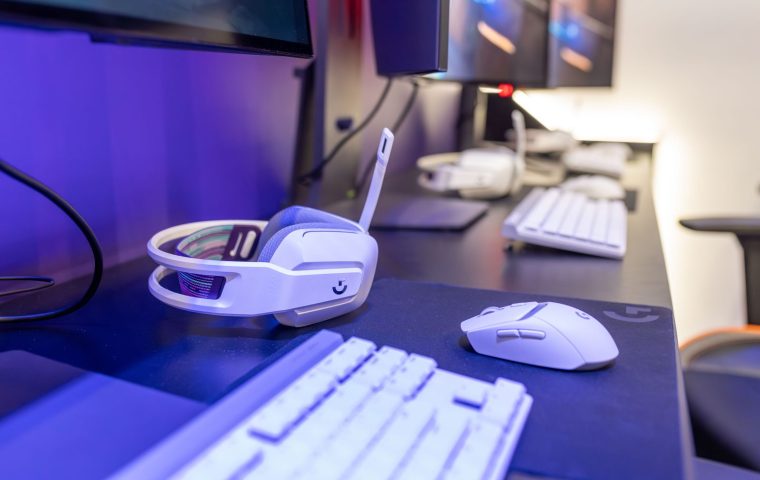
A friend of mine spent a small fortune on a 4K monitor and a top-tier GPU, then plugged in the free keyboard that came bundled with his prebuilt years ago. He wondered why his inputs felt mushy in Valorant. The answer was sitting right under his fingers the whole time.
That moment kicks off the same argument in every Discord I'm in: mechanical or membrane? People treat it like a holy war, when really it's a question about feel, noise, and how much you want to spend. I've owned both for two decades, dragged them to LAN events, and typed thousands of words of game reviews on them.
So let me walk you through what actually matters before you drop money on a board. No hype, no marketing nonsense, just what these things feel like when you're three hours into a ranked session and your hands are tired.
What Actually Separates The Two
Membrane keyboards use a single rubber dome layer under the keys. Press a key, the dome collapses, a circuit closes, and the input registers. It's cheap to make and it's what ships inside most office keyboards and laptop-adjacent boards.
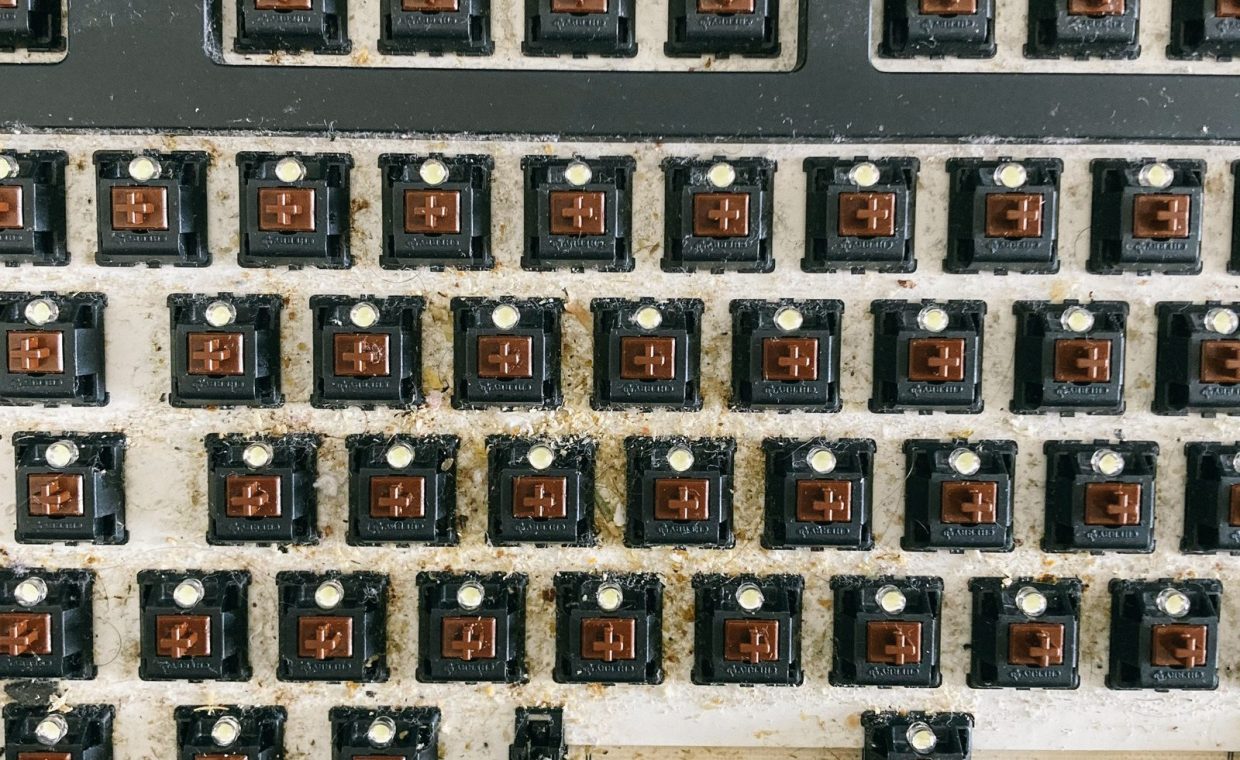
Mechanical keyboards put a discrete physical switch under every single key. Each switch has a spring and a stem, and it registers your press partway down rather than only at the bottom. That one design choice is the root of almost every difference you'll feel.
Here's the part nobody tells beginners: "mechanical" is not one feel. There are linear switches (smooth, no bump), tactile switches (a noticeable bump when the key actuates), and clicky switches (that bump plus an audible click). Picking among those matters more than the mechanical-versus-membrane label itself.
If someone says a keyboard feels "mushy," they almost always mean a worn rubber dome. If they say it feels "crisp" or "snappy," they're usually describing a tactile or linear mechanical switch registering before it bottoms out.
The Feel Test: Where Mechanical Earns Its Price
This is the category where I stop being neutral. For fast games, mechanical switches feel better, and it isn't subtle once you've adapted.
The big reason is actuation point. A mechanical switch registers your press maybe halfway down, so in a shooter you can fire taps faster and lighter without slamming the key flat. In a fighting game or a rhythm game, that consistency is the difference between a clean combo and a dropped one.
Membrane boards generally need a fuller press to register, and that travel adds up over a long session. After a couple of hours of Elden Ring dodge-rolling, a stiff dome board makes my fingers feel like I've been doing pushups.
That said, feel is personal. Some people genuinely prefer the soft cushion of a quality membrane, and a great membrane beats a cheap, scratchy mechanical every time. Don't assume "mechanical" automatically wins if the specific board is junk.
Switch Types In Plain English
- Linear (often red): smooth and quiet-ish, the default pick for shooters and fast games.
- Tactile (often brown): a felt bump per press, a good all-rounder for gaming plus writing.
- Clicky (often blue): loud and satisfying, great for typing, miserable for housemates and voice chat.
Noise: The Thing Your Roommate Will Mention
Membrane keyboards are quiet. That's their underrated superpower. If you game late at night next to a sleeping partner, or you share a mic in team comms, a soft dome board keeps the peace.
Mechanical boards range from "barely louder than membrane" (linear switches with sound dampening) to "a typewriter in a tin shed" (clicky switches). I learned this the embarrassing way on a team call where everyone could hear me peck out messages mid-round.
Clicky switches plus an open-back microphone equals teammates hearing every keystroke. If you talk on Discord while you play, go linear or tactile, not clicky, and consider a mic with a noise gate.
If silence is a hard requirement, you have two honest options. Pick a quality membrane board, or pick a mechanical with linear switches and factory sound dampening. Both can be roommate-safe.
Price: What You Get For Your Money
Membrane wins on raw cost, full stop. You can get a perfectly usable membrane gaming keyboard for around $25 to $40, and it'll do the job for casual play.
Mechanical boards start higher, usually around $60 for something decent, and climb fast once you add hot-swap switches, better build, and wireless. The good news is the floor has dropped a lot, so a solid entry mechanical no longer requires a paycheck.
Think about it the way I think about my whole setup budget. The same money logic shows up when you weigh a console against a gaming PC purchase, or when you decide between wired and wireless gaming mice. Spend where it changes how the game feels, save where it doesn't.
| Factor | Membrane | Mechanical |
|---|---|---|
| Typical price | Around $25 to $40 | Around $60 to $150+ |
| Feel | Soft, fuller press needed | Crisp, registers early |
| Noise | Quiet by default | Quiet to very loud (depends on switch) |
| Lifespan | Wears out faster, can go mushy | Rated for far more presses |
| Customization | Minimal | Keycaps, switches, often hot-swap |
| Repairability | Usually replace the whole board | Swap a single switch or keycap |
Durability And The Long Game
Mechanical switches are rated for a huge number of presses, often tens of millions per switch. In practice that means the board outlives several GPUs. I still have a mechanical board from years back that types like the day I bought it.
Membrane domes wear unevenly. The keys you mash most, your movement keys, your spacebar, start feeling soft and inconsistent before the rest. When that happens on a membrane, you usually toss the whole keyboard.
On a mechanical board, a dead key often means swapping one switch or one keycap. That repairability is a quiet money-saver people forget to factor into the price comparison.
Which Wins For Whom
Now the verdict, because vague "it depends" answers help nobody.
Buy membrane if you're on a tight budget, you play mostly slower or single-player games like Stardew Valley or Baldur's Gate 3, and silence matters more than snappy inputs. There's zero shame in this. A good membrane board and a tuned PC will serve you well.
Buy mechanical if you play competitive shooters, fighting games, or anything timing-heavy, you type a lot outside games, or you simply want the board to last for years. For most people reading a gaming hardware site, this is the pick.
If you can stretch to around $70, get an entry mechanical with linear or tactile switches and a tenkeyless layout. It covers fast games, typing, and team chat without annoying anyone, and it'll outlast your next two graphics cards.
One more thing that costs nothing: your keyboard only feels as responsive as the system behind it. Before you blame the hardware, spend ten minutes to optimize Windows for gaming so background junk isn't adding input lag your fingers get blamed for.
Membrane is cheap and quiet and fine for casual play. Mechanical feels better in fast games, lasts longer, and is repairable. If competitive games matter to you, the upgrade is worth it.
Are mechanical keyboards actually better for gaming, or is it hype?
For fast, timing-sensitive games they genuinely help, because the switch registers before you bottom out, so taps are faster and more consistent. For slow or single-player games the advantage is small, and a good membrane is perfectly fine.
Will my teammates hear my keyboard on voice chat?
Only if you pick loud clicky switches or have a sensitive mic with no noise gate. Linear or tactile mechanical switches, or any decent membrane board, stay quiet enough that nobody complains.
What's a sensible first mechanical keyboard budget?
Around $60 to $80 gets you a solid entry board with good switches and a sturdy build. You don't need to spend hundreds, and hot-swap support at this price lets you change switch feel later without buying a new keyboard.
Whatever you land on, buy the board that fits how you actually play, not the one with the flashiest box. Your hands are the only part of the setup touching the game every single second, so treat them well. Now go reclaim those wins you've been blaming on lag.