Last month I helped a friend set up a shiny 32-inch panel on a desk that was maybe 60 centimeters deep. He sat down, leaned back as far as his chair let him, and still had to swing his eyes corner to corner like he was watching tennis. Great monitor. Wrong room.
That is the part most buying guides skip. They rank panels by size and price and refresh rate, then leave you to figure out whether the thing actually fits the space between your face and the wall. Size is not a score you want to maximize. It is a number you match to how far away you sit.
So let us do the boring, useful math and turn it into something you can eyeball in your own room. No hype, just a way to pick a screen that feels natural instead of overwhelming.
Why raw inches are the wrong question
A monitor's diagonal tells you almost nothing on its own. A 27-inch screen can look razor sharp or noticeably soft depending on how many pixels are packed into it. That density, measured in pixels per inch (PPI), is what your eyes actually register.
Spread 1080p across 27 inches and you get roughly 82 PPI, which starts to look chunky up close. Put 1440p on that same 27-inch panel and you land near 109 PPI, which most people find crisp at a normal desk. Same size, very different experience.
This is why I tell people to stop thinking "how big" and start thinking "how big, at what resolution, seen from how far." Those three numbers travel together. If you are still weighing the sharpness jump, our breakdown of 1080p vs 1440p gaming walks through what that density difference feels like frame to frame.
Measure how far you actually sit
Before you buy anything, grab a tape measure. Sit the way you really sit when you game, not the polite upright posture you use for photos. Measure from the bridge of your nose to where the screen would stand.
Most desk setups put your eyes somewhere between 60 and 90 centimeters from the panel. That single measurement decides more than the spec sheet does. A screen that is perfect at 90 centimeters can feel like a billboard at 55.
If you can see the whole screen clearly without moving your head, the size is right for your distance. If you are turning your neck to track the minimap or the far corner, the panel is too big for how close you sit.
Matching size to resolution and distance
Here is the part I wish someone had handed me years ago. These pairings are not laws of physics, but they are where comfort and sharpness tend to meet for real desks and real chairs.
| Size | Resolution | Approx PPI | Comfortable distance | Best fit |
|---|---|---|---|---|
| 24" | 1080p | 92 | 50-70 cm | Competitive FPS |
| 27" | 1440p | 109 | 65-85 cm | All-round sweet spot |
| 27" | 4K | 163 | 60-80 cm | Sharpness, slower games |
| 32" | 1440p | 92 | 80-100 cm | Immersive single-player |
| 32" | 4K | 138 | 75-95 cm | Showcase titles, media |
| 34" ultrawide | 3440x1440 | 110 | 80-100 cm | Sim, RPG, multitasking |
Notice the 27-inch 1440p line. It shows up as the safe pick for a reason. It sits at a density that stays sharp, at a size that fits the distance most people already sit, without demanding a graphics card that costs more than the monitor.
Where ultrawide fits (and where it does not)
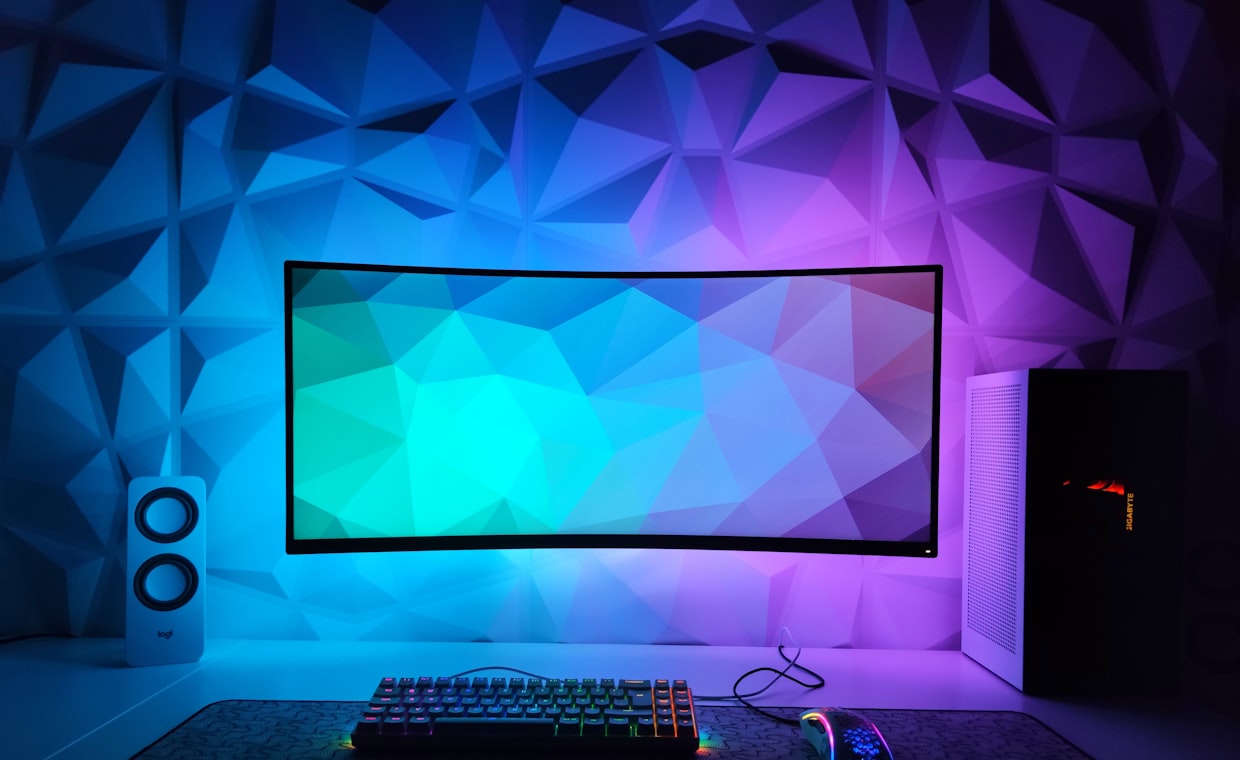
Ultrawide panels are fantastic for the right games and a bit of a trap for others. A 34-inch 21:9 screen wraps more world into your peripheral vision, which is gorgeous in racing sims, flight sims, and sprawling RPGs.
The catch is depth. Ultrawides want you sitting 80 centimeters back or more so the edges do not force head movement. On a shallow desk the far corners drift outside your comfortable field of view, and that lovely immersion turns into neck strain.
They also carry compatibility quirks. Some competitive shooters letterbox the extra width or ban it outright, so a chunk of your panel goes black. If your main games are esports titles, a standard 16:9 screen is usually the smarter buy.
Genre matters more than you think
What you play should steer the whole decision. Fast competitive games reward a smaller screen you can take in at a glance, because your eyes are not hunting across a wide surface for enemies and callouts.
That is why a lot of ranked players stick with 24-inch or 25-inch panels even when they can afford bigger. Less eye travel means faster reactions, and the extra pixels of a huge screen do not help you land a flick shot. Pair that smaller size with a high refresh rate and you are set. If you have not sorted out that side of the spec sheet, our piece on refresh rate explained 144hz covers why smoothness often beats size for twitch play.
Story-driven and open-world games flip the priority. Here a 32-inch panel or an ultrawide earns its desk space, because you are soaking in scenery, not reacting in milliseconds.
Setting up the physical space
Once the panel arrives, the mount matters as much as the model. Push the stand back so the screen sits at the far edge of the desk, which buys you a few extra centimeters of distance for free.
Set the top of the screen at or just below eye level, then tilt it back slightly so your gaze meets it square. A monitor arm helps here, letting you dial in height and depth instead of stacking books under the stock stand like I did for embarrassingly long.
A cheap test before you buy
Cut a piece of cardboard to the exact width and height of the monitor you are eyeing. Tape it where the screen would live and sit down. You will know within ten seconds whether it feels right or looms over the desk.
Putting the numbers together
The whole process comes down to three steps you can do in an afternoon. Measure your real seating distance, pick a resolution your graphics card can drive, then choose the size that keeps density high and eye travel low.
For most people at a normal desk, 27-inch 1440p is the balanced default. Go 24-inch 1080p if you play competitively and sit close. Reach for 32-inch or ultrawide only if you sit 80 centimeters back or more and love slower, scenic games.
Common questions
Is a 32-inch monitor too big for a normal desk?
It can be if you sit closer than 75 centimeters. At 32 inches you want some breathing room, so measure your seating distance first and push the stand to the back of the desk to buy space.
Do I need 4K if I go bigger than 27 inches?
Not strictly, but density drops as size grows. A 32-inch 1440p panel is fine from a bit further back, while 4K keeps it sharp up close at the cost of a stronger graphics card.
Is ultrawide worth it for competitive shooters?
Usually not. Many esports titles restrict or letterbox the extra width, and the wider surface adds eye travel that slows reactions. A standard 24 to 27-inch screen serves ranked play better.
Pick the screen your desk and your eyes can actually live with, not the biggest one your budget allows. Measure, match resolution to distance, and let the games you play break any ties. Do that and the monitor disappears into the experience, which is exactly what a good one should do.