A friend of mine, Dev, called me last winter halfway through his first PC build. He had a cart sitting at almost two thousand dollars and a face-melting GPU at the top of it, but he was running a 60Hz office monitor he found in a closet. He was about to spend flagship money to push frames his screen could never show him.
That is the trap. The loudest, most reviewed, most "pro player uses this" gear is rarely the part that fixes your actual experience. The frustrating part is that the smart swap is usually sitting right next to the hyped one, costing half as much, and nobody is making sponsored videos about it.
So here is my running list of gaming gear that is overpriced, and the parts I tell every friend to buy instead. I have built rigs across every budget, and these are the swaps that hold up.
1. The Flagship GPU You Cannot Actually Feed
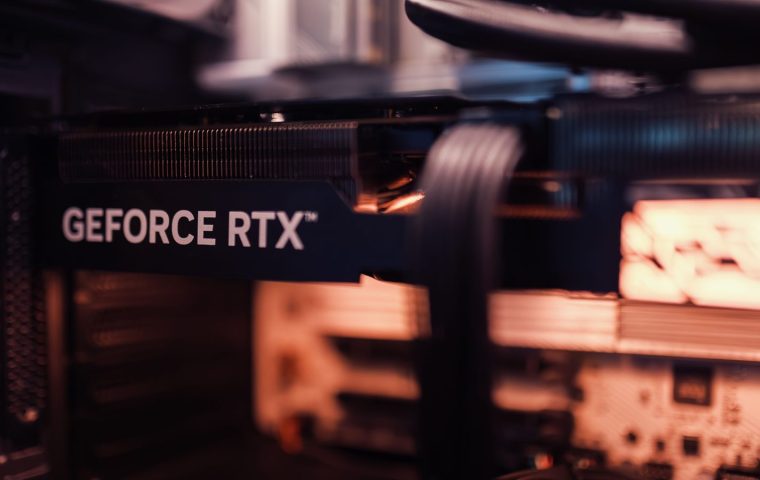
The top-tier graphics card is the poster child of overpriced gaming gear. It is genuinely fast. It is also a terrible value for most people, because the rest of your setup will choke long before that silicon breaks a sweat.
At 1080p or 1440p, a midrange card from the current or previous generation gets you the same playable frame rates in Elden Ring, Valorant, or Baldur's Gate 3 for a fraction of the price. You feel the difference of a flagship mostly at 4K with everything maxed, and even then a CPU bottleneck or slow RAM can erase the gap.
Buy the card that matches your monitor's resolution and refresh rate, not the one with the longest spec sheet. If you are not sure where that line is, I walked through the whole math in this breakdown of how to pick a GPU that fits your budget, and it will save you hundreds.
Before you buy any GPU, lock in your target resolution and refresh. A card chosen for "1440p at 144Hz" is a real decision. A card chosen for "the best one" is just an expensive guess.
2. The $250 "Esports" Mechanical Keyboard
Premium keyboards have gotten gorgeous, and the marketing leans hard on reaction time. Here is the honest version: a custom keyboard with hot-swap switches, a gasket mount, and foam dampening feels wonderful, but it does not win you rounds in Valorant.
The thing that actually matters for gaming is solid switches, n-key rollover, and a stable case that does not flex. You can get all three in a tenkeyless board for roughly a third of what the boutique models charge.
If you love keyboards as a hobby, spend away, that is a real and fun rabbit hole. Just do not pretend it is a performance upgrade. Your aim is not bottlenecked by your spacebar.
What to buy instead
A reputable tenkeyless or 65 percent board with decent linear switches, around $60 to $90, covers everything competitive play needs. Spend the leftover money on a mousepad with a faster surface, which you will actually feel during flick shots.
3. Wireless Everything at a Wireless Premium
Wireless mice and headsets have closed the gap with their wired siblings, and the best ones are excellent. The problem is the price ladder. You often pay a 40 to 50 percent premium for the privilege of charging another device every few days.
For a competitive mouse, a lightweight wired model with a flexible paracord cable feels nearly identical to a flagship wireless one and costs far less. The latency difference at this point is academic, the weight difference is what you feel, and good wired mice are absurdly light now.
Couch gaming and clean desks. If you play from the sofa or you hate cable clutter, wireless earns its keep. For pure performance per dollar on a desk, wired still wins.
Headsets are an even rougher deal. A good pair of wired studio headphones plus a cheap clip-on mic outperforms most $200 gaming headsets on audio quality, and you can hear footsteps in Counter-Strike or Apex Legends with far more precision.
4. The Hyped 4K Monitor When You Live at 1440p
A big 4K panel looks stunning in the store. Then you get it home, fire up a demanding title, and watch your frame rate collapse because driving 4K at high refresh is brutally expensive on the GPU side.
For most players, a quality 1440p monitor at 144Hz or higher is the sweet spot that has held for years. The resolution is sharp, the refresh rate is buttery, and your graphics card can actually keep up without you spending flagship money to feed it.
The upgrade most people feel the instant they sit down is refresh rate, not pixel count. Going from 60Hz to 144Hz in a fast game is night and day. Going from 1440p to 4K is "nice, I guess" for double the GPU load.
| Hyped pick | Smarter swap | Why it wins |
|---|---|---|
| Flagship GPU | Midrange current-gen GPU | Matches your monitor for far less |
| $250 boutique keyboard | $70 TKL with good switches | Same competitive feel, no flex |
| $200 wireless headset | Wired headphones plus clip mic | Better audio, better positional cues |
| 4K 144Hz monitor | 1440p 144Hz monitor | Sharp, fast, and your GPU survives |
| RGB everything | Quiet fans and an SSD | Performance you actually notice |
5. The Pro-Branded Controller With a Pro-Branded Price
Elite and pro controllers promise back paddles, swappable sticks, and a competitive edge. The hardware is genuinely nice, and for fighting games or precision platformers the extra inputs can help.
But the gap between a flagship pad and a solid midrange one is small for most people, and the price gap is enormous. Plenty of third-party controllers now offer back buttons and hall effect sticks (the kind that resist stick drift) for half the cost.
Before you drop premium money on a pad, figure out what you actually play. I compared the realistic options in this rundown of the best controllers head to head, including which features matter for which genres.
Some expensive controllers still use traditional potentiometer sticks that drift over time. If longevity matters to you, hall effect sticks are the upgrade worth paying for, and they show up on cheaper pads too.
6. RGB-Stuffed Cases and "Gamer" Accessories
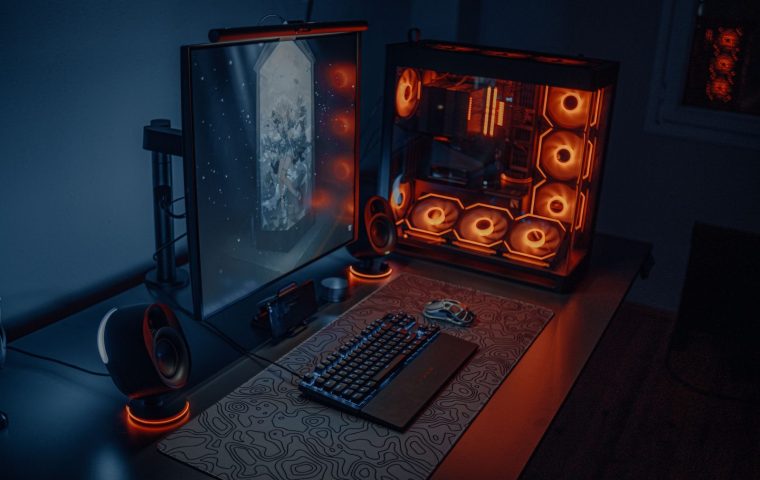
A case with a dozen pre-installed RGB fans and a tempered glass front looks great in photos. It also frequently traps heat, ships with loud fans, and charges you a premium for lighting instead of airflow.
A plain, well-ventilated case with a mesh front and two good fans will run cooler and quieter, which means your CPU and GPU can hold their boost clocks longer. That is a real, measurable performance benefit hiding behind a boring exterior.
If you want your rig to look sharp, spend that lighting budget on the room instead of the box. A couple of bias lights and a clean layout do more for the vibe than internal RGB nobody sees. I pulled together a bunch of affordable ideas for building a better battlestation.
7. Premium Thermal Paste and Other Tiny Money Pits
This is the small stuff that quietly inflates a build. Boutique thermal paste, gold-plated cables, "gaming" RAM with aggressive heat spreaders you do not need, and branded surge protectors all promise an edge that the benchmarks never show.
A standard well-reviewed thermal paste lands within a degree or two of the exotic stuff. The RAM that actually matters is the one with the right speed and timings for your platform, not the one with the tallest fins.
If you have a little extra after the core parts, put it toward a fast NVMe SSD and more RAM capacity. Faster load times and smoother multitasking are things you notice every single session, unlike a fancier tube of paste.
Match your GPU to your monitor. Pick 1440p high-refresh over 4K. Go wired for competitive peripherals. Choose airflow over RGB. Then put the leftover cash into an SSD and RAM. That is the build that feels expensive without costing it.
Is a flagship GPU ever worth it?
Yes, if you genuinely game at 4K with high refresh, run heavy creative workloads, or want a card that lasts many years without upgrading. For 1080p and 1440p players, a midrange card delivers the same playable frames for far less, so the flagship is mostly overkill.
Are wireless gaming mice worth the extra cost?
For couch gaming or a cable-free desk, absolutely. For pure competitive performance per dollar, a lightweight wired mouse feels nearly identical and costs less. The latency gap on top wireless models is no longer something most players can feel.
What is the single best budget upgrade for an existing rig?
A fast NVMe SSD if you are still on a hard drive, or a high-refresh 1440p monitor if you are stuck at 60Hz. Both deliver an improvement you feel every session, which is more than most pricey peripherals can claim.
The pattern here is simple once you see it. The gear that gets the most hype is rarely the gear that moves your numbers, and the smart swap is usually one shelf over for half the price. Spend on the parts you feel during play, skip the badges, and your wallet and your frame rate will both thank you. Catch you in the next build log.