The first time I touched a liquid cooler, I was convinced I had built a leak machine. I sat there at 1 a.m. staring at a 240mm AIO bolted to the top of my case, certain that coolant was going to dribble onto my graphics card the second I walked away. It did not leak. It ran my CPU about 8 degrees cooler than the chunky air tower it replaced, and it looked great with the pump glowing through the side panel.
Here is the part nobody tells you, though. That air tower I yanked out was a $40 part, and for the games I actually play, it was doing 95 percent of the job. The liquid cooler cost more than double and bought me a handful of degrees I would never feel in Valorant.
So the real question is not "which one is better." It is "which one is worth your money for the chip you own and the way you actually use your PC." Let me walk you through how I think about it, benchmark by benchmark, dollar by dollar.
What Each Cooler Is Actually Doing
Both air and liquid coolers do the same thing: pull heat off your CPU and dump it into the air inside your room. The difference is the path that heat takes.
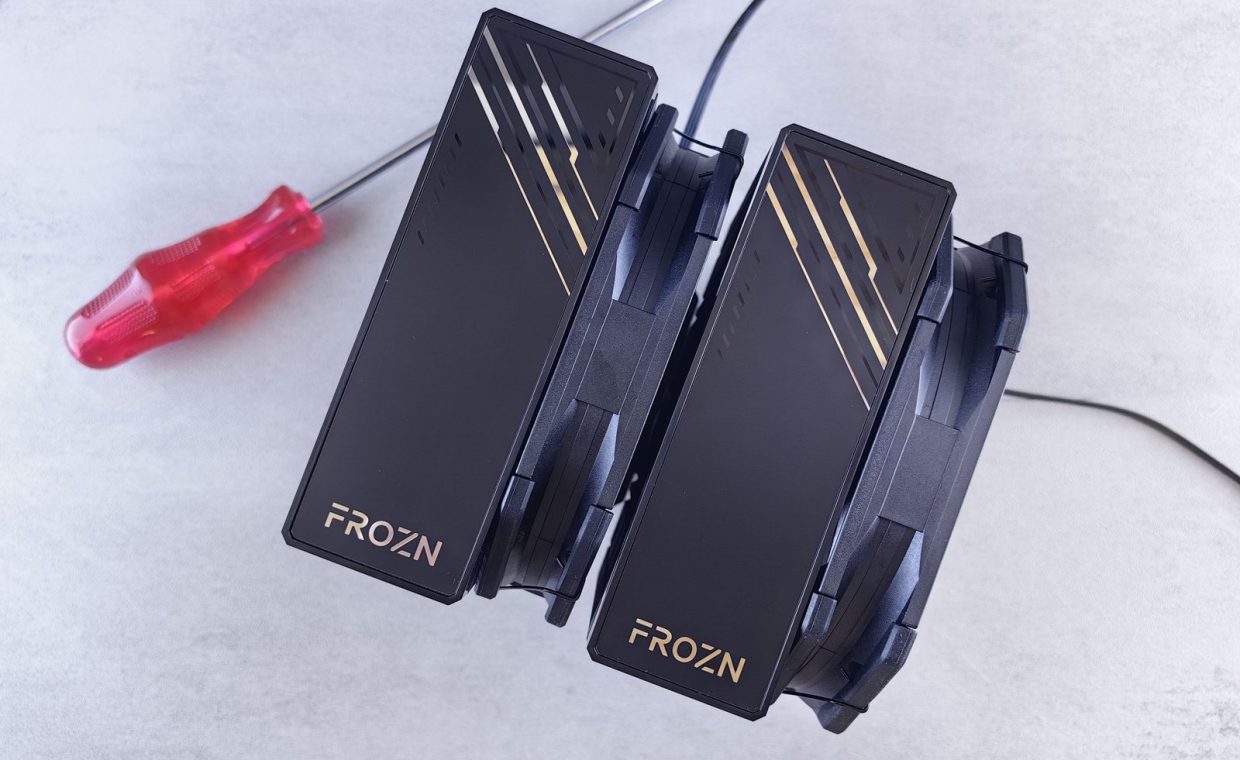
An air cooler bolts a block of metal directly onto your chip. Heat travels up copper pipes into a stack of fins, and a fan blows the heat away. Simple, mechanical, almost nothing to fail.
A liquid cooler (an AIO, or "all-in-one") puts a small pump on your CPU, runs warm fluid through tubes to a radiator, and the radiator's fans blow the heat out. More parts, more moving pieces, but it moves heat to a bigger surface area that you can mount away from the cramped center of the case.
"Liquid is always cooler" is not true. A good $90 air tower beats a cheap $70 AIO on most CPUs. Surface area and fan quality matter more than the word "liquid" on the box.
Noise: The Thing You Live With Every Day
Temps you check once. Noise you hear for hours. This is the spec most builders underrate.
A big air cooler with a single slow-spinning 140mm fan is often the quietest option you can buy. There is one fan, it rarely has to scream, and there is no pump whine. My current daily-driver build runs a tower air cooler that I genuinely cannot hear over a quiet game like Stardew Valley.
Liquid coolers have a wildcard: the pump. A good AIO pump is near-silent, but a cheap or aging one can add a low hum or a faint gurgle that you will absolutely notice at 2 a.m. You also usually have two or three radiator fans instead of one, which can mean more total noise unless you tune their curves.
Before you spend a cent on cooling, open your fan curves in the BIOS or your motherboard app. Setting fans to ramp gently instead of full-tilt is the cheapest "upgrade" there is, and it makes either cooler dramatically quieter.
Price: Where Your Money Actually Goes
I hate wasted spend, so this is my favorite section. The cooling market is full of parts that cost more for performance you will never measure.
Air coolers span from around $25 budget towers to roughly $100 dual-fan flagships. The sweet spot, the part that moves your temps the most per dollar, sits around $40 to $60. That tier handles a mainstream six or eight-core chip without breaking a sweat.
Liquid coolers usually start around $80 for a 240mm unit and climb past $200 for a fancy 360mm with a screen on the pump. You are paying for the radiator size, the build quality, and, honestly, the looks.
If you are putting a build together for the first time, cooling is one of the easiest places to overspend out of nerves. I see it constantly in the same conversations as other classic beginner build mistakes, like buying a 1000-watt power supply for a mid-range rig. Match the cooler to the chip, not to your anxiety.
Performance: Where Liquid Earns Its Keep
Liquid is not a gimmick. There are real scenarios where a 280mm or 360mm AIO pulls clearly ahead, and you should know them so you can decide if they apply to you.
High-core-count chips that you actually push hard, think long video exports, heavy 3D rendering, or all-core workloads, generate sustained heat that a single air tower can struggle to keep in check. A big radiator simply has more surface area to dump that heat.
The other case is physical clearance. Some massive air towers bump into tall RAM or block your top PCIe slot. An AIO moves the bulk to the edge of the case, which can be the difference between a clean build and a fight.
For pure gaming, your GPU is the furnace, not your CPU. In most modern titles at 1440p, your processor is loafing. Spending $150 on cooling to shave CPU temps that were already fine is money that belonged in your graphics card.
What gaming actually demands
Fire up Elden Ring or Baldur's Gate 3 and watch your CPU temps. On a decent mid-range chip with a solid air cooler, you will likely sit comfortably under thermal limits with the fans barely audible. The frames are being decided by your GPU, your resolution, and your settings, not by whether your CPU is 5 degrees cooler.
Side By Side: The Comparison Table
Here is how the two stack up across the things builders actually care about. Treat the numbers as ballpark, since exact results depend on your specific case and chip.
| Factor | Air Cooling | Liquid (AIO) |
|---|---|---|
| Typical price | $25 to $100 | $80 to $200+ |
| Sweet-spot pick | $40 to $60 tower | 240mm to 280mm unit |
| Noise floor | Very low (one fan) | Low, but watch the pump |
| Failure points | One fan, basically nothing else | Pump, fans, possible leak |
| Lifespan | Many years, fan is replaceable | Solid, but pump wears over time |
| Best for | Gaming, mainstream chips, value builds | High-core workloads, looks, tight clearance |
| Install difficulty | Can be heavy and fiddly | More steps, but well documented |
So Which One Wins For You?
Let me give you the verdict by builder type, because "it depends" is a cop-out and you came here for an answer.
Pure gamer on a budget: Air, every time. A quality $50 tower keeps a gaming CPU cool and quiet, and the cash you save goes straight into a better GPU, which is the part that actually adds frames.
The streamer or creator: Lean toward liquid if you are encoding on the CPU or running heavy all-core tasks while you play. That sustained load is exactly where a 280mm AIO pulls ahead. If you offload encoding to a dedicated capture card or GPU encoder instead, a big air cooler is still plenty.
The looks-first builder: Liquid, no shame in it. A clean radiator and a glowing pump make a showpiece build, and if the aesthetic is part of why you build, that is a legitimate reason to spend.
The "I never want to think about this again" builder: Air. Fewer parts means fewer things that can fail in three years.
For most gamers, a $40 to $60 air tower is the smartest money in the whole build. Go liquid when you have a hot high-core chip, a real all-core workload, clearance problems, or a looks-driven build you genuinely care about.
Do not forget the build around the cooler
Whichever you pick, airflow in the case matters as much as the cooler itself. A great cooler choking in a case with no intake fans is wasted money. Plan your fan layout, and while you are in there, sort out your cable routing for a clean, airflow-friendly look so warm air actually has a path out.
Do I really need liquid cooling for gaming?
For almost all gamers, no. Your GPU does the heavy lifting in games, and a good air tower keeps a mainstream CPU cool and quiet. Save the liquid budget for a stronger graphics card.
Will an AIO leak and kill my parts?
It is rare. Modern sealed AIOs almost never leak within their useful life. The bigger long-term worry is the pump wearing out, which usually shows up as noise before it shows up as failure.
What is the single cheapest way to lower my CPU temps?
Tune your fan curves and add a case intake fan or two. Decent airflow and a fresh blob of thermal paste often fix temps for under $20, no new cooler required.
Spend where it moves the needle. For the vast majority of builds, that means a solid air cooler and the saved cash poured into the GPU, the part your frame rate actually cares about. If you have got a hot chip, a heavy workload, or a build you want to show off, liquid is a fair call. Just buy it on purpose, not out of fear. Happy building, and may your temps stay boring.